
Quote, order and track parts between buyers and their manufacturers.
Manufacturers price parts from the CAD file at their own rates. Buyers get those quotes, raise POs and follow every part to dispatch. Both sides work on the same order instead of chasing it over email.
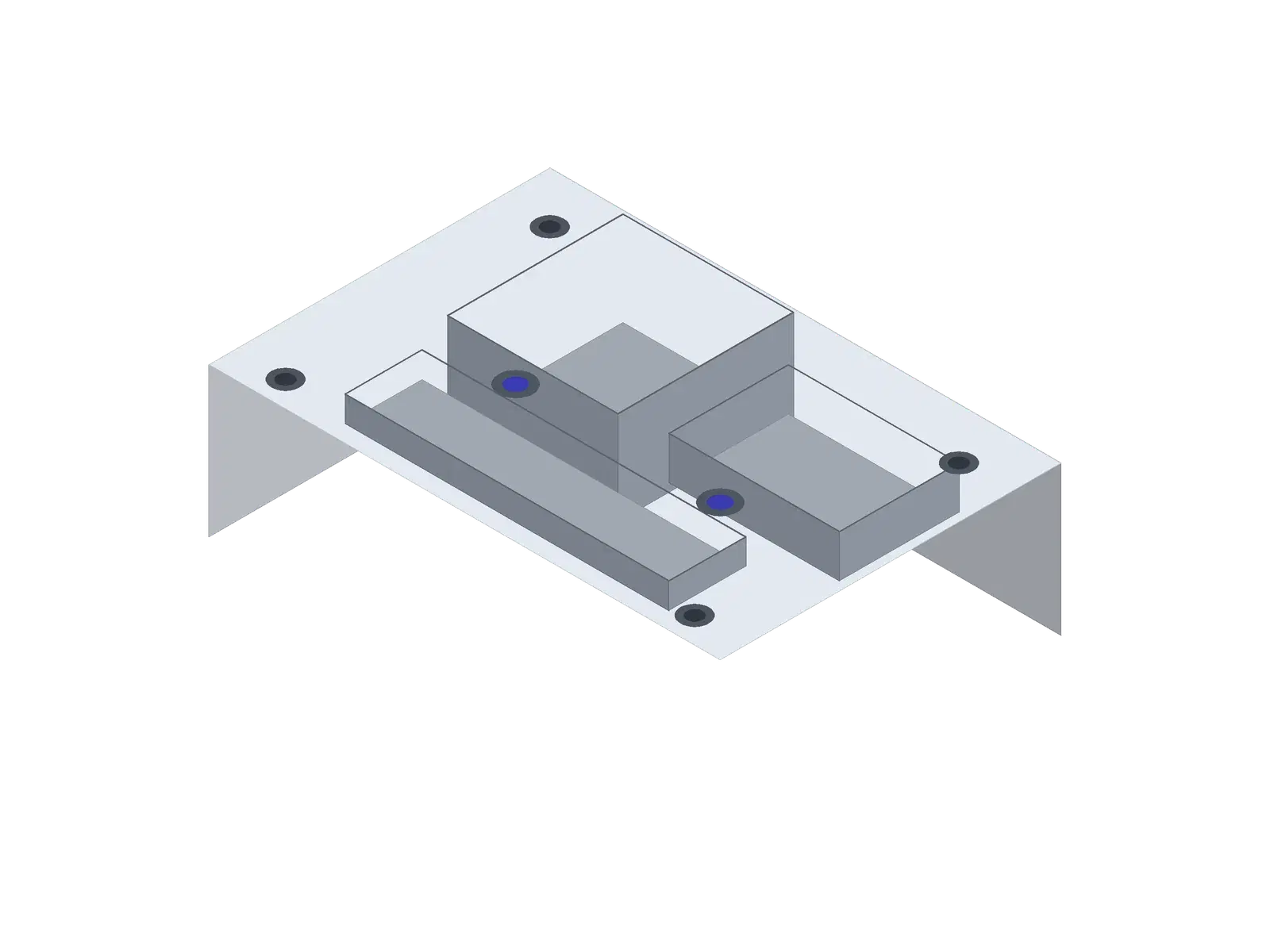
| Feature | Qty | Size | |
|---|---|---|---|
| 1 | Bounding box | 1 | 120 × 80 × 35 mm |
| 2 | Volume | — | 142.6 cm³ |
| 3 | Through holes | 4 | Ø6.6 |
| 4 | Tapped holes | 2 | M8 × 12 |
| 5 | Pockets | 3 | max depth 22 mm |
| 6 | Fillets | 12 | R2 – R5 |
| 7 | Material | — | Al 6061-T6 |
| 8 | |||
| 9 | |||
| 10 | |||
| 11 | |||
| 12 |
For manufacturers
Quote faster and run every order in one place
- Price parts from STEP and DXF files at your machine and hour rates
- Give each customer a portal to send RFQs, approve quotes and track orders
- Accept POs, post progress photos and raise GST invoices
For buyers
Manage your manufacturers and every part you buy from them
- Invite your suppliers and see which processes each one runs
- Get an instant price on their rates, or send them an RFQ
- Raise POs, follow each part with photos and keep one ledger per supplier
One order, two sides
Every step of the order happens in Quoteazy.
The buyer and the manufacturer work on the same order. Each status change is logged with who made it, so nobody has to search an inbox for the latest price or PO.
- 01
RFQ sent
BuyerThe buyer uploads the parts and drawings and sends an RFQ to one of their manufacturers, or prices the part instantly on that manufacturer’s rates and sends that.
- 02
Quote prepared
ManufacturerThe manufacturer turns the RFQ into a quote, priced line by line from the CAD file.
- 03
Quote approved
BuyerThe buyer approves it, rejects it with a reason, or asks for a revision. The quote PDF is one click away.
- 04
PO raised
BuyerThe buyer raises a purchase order. Quoteazy numbers it, creates the PO PDF and tells the manufacturer.
- 05
PO accepted
ManufacturerThe manufacturer accepts the PO and the order moves into production, or rejects it with a reason the buyer can see.
- 06
Progress posted
ManufacturerMaterial received, machining, quality check, packaging: each part gets status updates with photos, and the buyer sees them as a timeline.
- 07
Invoiced
ManufacturerThe GST invoice is raised from the order, so the quantities and prices match what was agreed.
- 08
Paid and reconciled
BuyerThe buyer records the payment with proof and the manufacturer confirms it. Both sides see the same ledger.
Need to show the status to someone without an account? The buyer can share a read-only link to the order.
Quoting is where shops lose orders.
An RFQ arrives with a STEP file, a PDF drawing and a deadline. Someone has to work out the stock size, the setups, the cycle time and the outside processes, usually in a spreadsheet and usually from memory.
It waits
Every RFQ queues for the one or two people who know how to price it. When they are busy or on leave, quotes stop.
It varies
Two estimators price the same part and get two numbers. Nobody can say which one is right, or why.
It costs you either way
Quote high and the order goes elsewhere. Quote low and you lose money on every piece you make.
Quoteazy does the measuring and the arithmetic from the part itself. Your team spends its time checking prices, not building them.
How quoting works
From RFQ to quote in four steps.
- 01
Upload the part
Add the STEP or IGES model, a DXF for flat parts, and the PDF drawing. Or forward the RFQ email to your Quoteazy inbox and the attachments arrive on their own.
- 02
Quoteazy reads it
It measures the part, finds the holes, pockets, slots and turned faces, works out the stock size and the setups, and suggests a process.
- 03
Check the cost sheet
Material, machining, setup, programming, inspection and outside processes each get their own line, priced at your rates. Change any line and the total follows.
- 04
Send it
Send the quote as a PDF, or let the customer accept it in your portal. An accepted quote becomes the order, so nothing is typed twice.
Processes
One quoting engine for the processes you run.
Each process has its own cost model, based on how the part is actually made and filled in with your machines and rates.
CNC milling
Features, setups and tool reach set the cycle time on your VMCs and HMCs.
CNC turning
Bar stock, facing, OD and ID profiles, grooves and threads on your lathes.
Laser cutting
Cut length and pierces read from the DXF or STEP, priced on your laser and sheet rates.
Wire EDM
Cutting length, job height and start holes at your machine’s rate.
Welded fabrication
Plate cutting, welding and any machining, combined into one cost.
Pressure die casting
Clamp tonnage, cavities, shot weight and die cost.
Sand casting
Moulding, cores and feeders, priced per casting at your foundry’s rates.
Injection moulding
Clamp tonnage, cavities, cooling time and tool cost.
Run a process that isn’t listed? Tell us. We add processes as cost models, not spreadsheets.
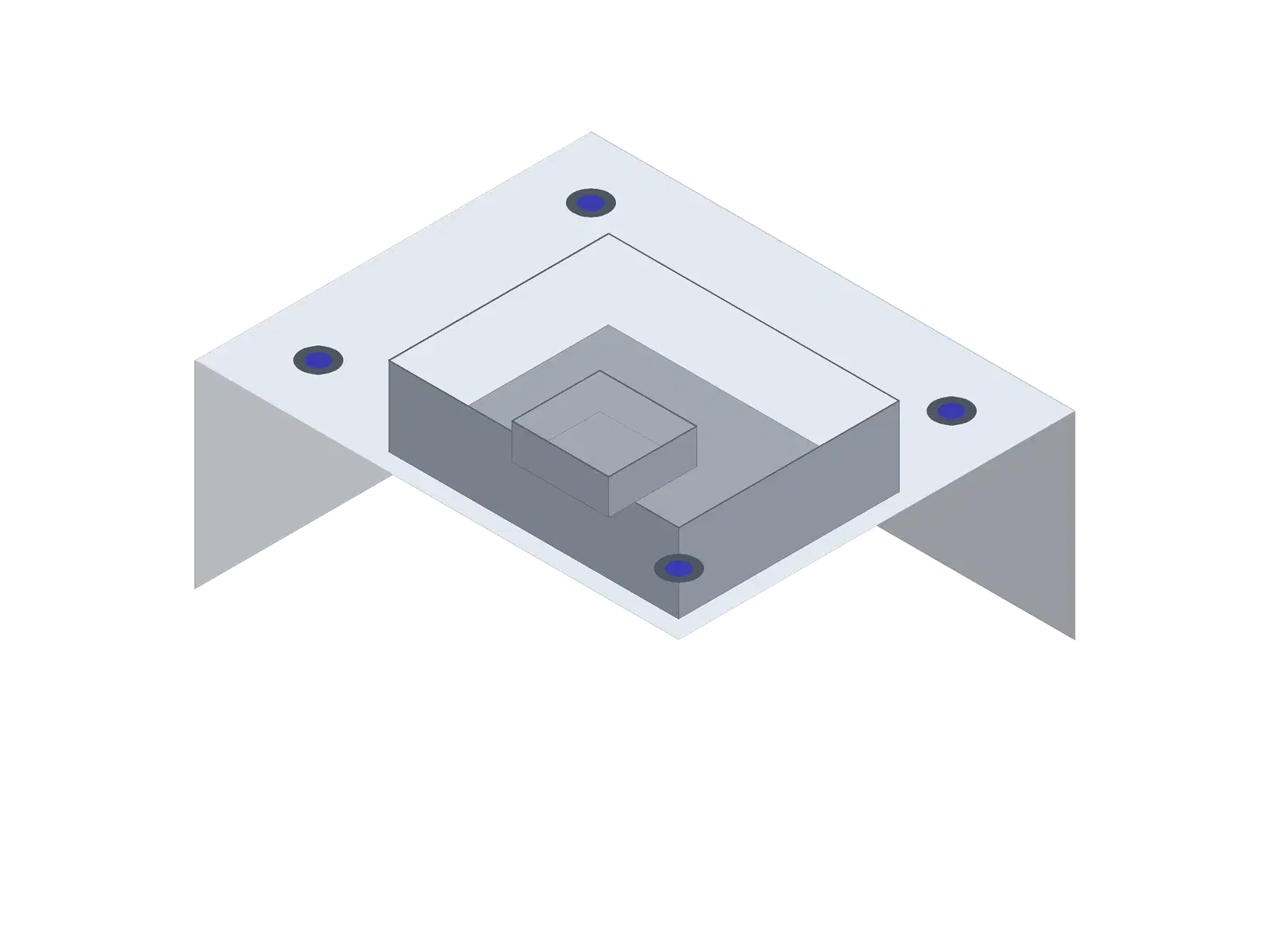
It reads the part the way your estimator would.
It reads part geometry and machining features straight from STEP and drawings, so cycle time, setups and price come from the part itself, not a guess per kilo.
Quoteazy opens the 3D model and measures what drives cost. You see everything it found and can correct it before the price is fixed.
Built for both sides of the order.
Some tools belong to one side, and the order runs across both.
| Feature | Manufacturer | Buyer |
|---|---|---|
| Instant price from CAD | At your own machine and hour rates | On your manufacturer’s rates, using credits |
| RFQs | From the customer portal, plus an email RFQ inbox | Send RFQs with files to your manufacturers |
| Quotes | Priced line by line, revised on request | Approve, reject or ask for a revision |
| Projects | — | Group parts and assign each one to a manufacturer |
| Purchase orders | Accept, or reject with a reason | Raise a numbered PO with its PDF |
| Order progress | Post part status with photos | Follow each part as a timeline |
| Invoices and payments | GST invoices; confirm customer payments | Ledger per manufacturer; record payments with proof |
| Ballooning and inspection | Growth plan and above | Using credits |
| DFM check | Against your own machines | — |
| PPAP | — | 18 elements, process flow, PFMEA and control plan, per part |
Your drawings stay yours.
Customer drawings are confidential. This is how we treat them.
- Hosted in India
- Files and data are stored on AWS in the Mumbai region.
- Encrypted in transit
- Every connection to Quoteazy, from the browser or the API, uses HTTPS.
- Kept apart
- Each company sees only its own data. A manufacturer sees the RFQs and orders its customers send it, and a buyer sees only its own suppliers and orders.
- Never shared
- We don’t sell your data or show your parts or prices to anyone else.
- Deleted on request
- Ask us and we delete your files and account data.
Plans for manufacturers and buyers
Prices are in rupees and exclude GST. Pay yearly and you get two months free.
Basic
For a small shop that wants its quotes out faster.
₹8,200 / month
- Up to 3 team members
- Up to 50 customers
- 50 instant quotes a month
- Instant quotes from CAD files
- Process cost calculators
- Customer management
- Basic reports
Growth
For a team that quotes every day.
₹24,800 / month
- Up to 10 team members
- Up to 200 customers
- 200 instant quotes a month
- Everything in Basic
- Email RFQ inbox
- GST invoices and payment tracking
- Ballooning tool
- Sales and finance dashboards
- Team collaboration
Enterprise
For larger manufacturers and high RFQ volumes.
₹82,900 / month
- Up to 50 team members
- Up to 1,000 customers
- 9,999 instant quotes a month
- Everything in Growth
- Custom integrations
- Advanced analytics
- Priority support
An instant quote is a part priced automatically from its CAD file, and each one uses a credit. Plan credits refresh every month, and you can buy more whenever you need them.
FAQ
Questions shops ask us.
Which files can I upload?
Automatic pricing reads STEP and IGES 3D models, and DXF or STEP for laser-cut parts. You can also attach STL, OBJ, Parasolid, SolidWorks, DWG and PDF files to a quote for reference. Each file can be up to 50 MB.
How accurate are the prices?
As accurate as the rates behind them. Quoteazy works out the operations, times and material from the part, and the money comes from your machine rates, material prices and margins. During onboarding we quote parts you have already priced and adjust the rates until the numbers match your shop.
Do I have to change how I price?
No. You enter the rates you already use, and you can change any line on any quote before it goes out.
Which processes are covered?
CNC milling, CNC turning, laser cutting, wire EDM, welded fabrication, pressure die casting, sand casting and injection moulding. If you run something else, tell us.
Can my customers order online?
Yes, through the buyer portal. Invite them by email. They send RFQs with their files, approve your quote, raise the PO and follow the order there.
What is an instant quote credit?
Each part priced automatically from a CAD file uses one credit. Your plan includes a monthly allowance, and you can buy more credits at any time.
How do we pay for Quoteazy?
Manufacturer plans are paid monthly or yearly through Razorpay, by card, UPI or net banking, with a GST invoice. Yearly costs the same as ten months. Buyer plans are set up with us directly.
Is my data safe?
Your files are stored on AWS in Mumbai and travel over HTTPS. Your parts and prices are visible only to your team and the customers you invite, and we delete your data if you ask.
How long does setup take?
Setup means adding your machines, hour rates and materials. We do it with you on a call and check your first quotes together.
Can I try it first?
Book a demo and bring a part you have already quoted. We will price it live in Quoteazy so you can compare.
Is Quoteazy for manufacturers or for buyers?
Both. Manufacturers use it to quote and run orders. Buyers use it to manage their manufacturers, get quotes, raise POs and follow parts. When both sides are on Quoteazy, the order runs in one place.
Does my manufacturer need to be on Quoteazy?
Yes, for them to quote, accept POs and post progress in Quoteazy. You can invite them by email from your account.
Can I send one RFQ to several manufacturers?
Each RFQ goes to one manufacturer. To split a build across suppliers, create a project and assign each part to the manufacturer you choose.
What do buyers use credits for?
Instant prices from a CAD file, and analysing drawings for ballooning. Sending RFQs, approving quotes, raising POs, tracking orders, the ledger and PPAP don’t use credits.
Can a manufacturer see my other suppliers?
No. A manufacturer sees the RFQs, quotes and orders you send to it, not those you send to anyone else.
Bring a part you’ve already quoted.
Send us the drawing and STEP file from a recent RFQ. On a 30-minute call we’ll quote it in Quoteazy using your rates, and you can compare the result with the price you sent.